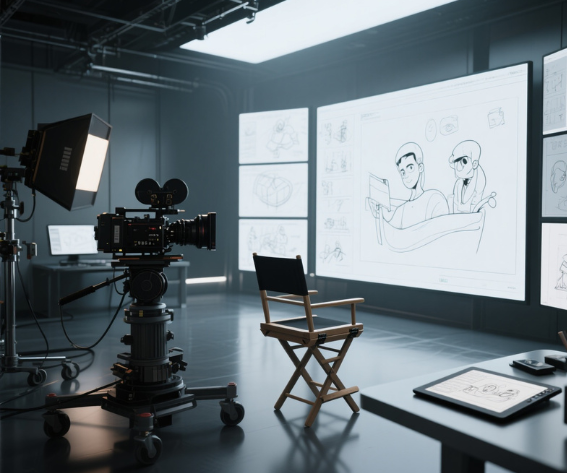
Before AI, planning a shot meant hand-drawing panels, hiring a storyboard artist, or booking hours in expensive 3D software. Now you can go from a script paragraph to a complete visual sequence in minutes, with the same character holding up across every frame. Here are five tools worth knowing about in 2026, what each one actually does, and what you’ll pay.
What Previsualization Actually Is, and Why It Matters
Previz is the process of planning what a shot will look like before you film or generate it for real. A storyboard shows framing, character positions, and light direction in each moment. An animatic adds timing and motion on top of that. Full 3D previs adds precise camera blocking, where every measurement is geometrically accurate.
The reason serious filmmakers previsualize is simple: changing a shot at the planning stage costs nothing. Changing it on set, or after a full production run, costs hours and often real money. A storyboard gives the director, DP, and crew a shared visual language before anyone picks up a camera or opens a generation tool.
AI previs tools collapse the gap between having an idea and having something visual to react to. You describe a scene, drop in a reference, and get a sequence back in minutes instead of days.
The 5 Tools at a Glance
| Tool | Best for | Output | Starting price |
|---|---|---|---|
| Invideo Agent | Full-scene previz with persistent project memory | Storyboard + video | $17/mo |
| Katalist AI | Script-to-storyboard with built-in animatic and video | Storyboard + animatic + video | $19/mo |
| LTX Studio | Full pipeline from script to final export | Storyboard + video + timeline | $15/mo |
| Luma Dream Machine | Camera-driven, single-shot cinematic previz | Video | Free tier available |
| Blender | Open-source 3D camera blocking with full geometric accuracy | 3D previs + animatic | Free |
Prices as reported by each platform in 2026. Verify current rates before committing.
Invideo Agent: Full-Scene Previz With Persistent Memory
Most AI video tools work the same way underneath: you write a prompt, you get a clip, and if you want the next shot to match, you re-describe everything, the character’s face, their costume, the lighting, the location, and hope the model doesn’t drift.
Invideo Agent takes a different approach. Instead of prompting shot by shot, you hand it a script, a treatment, or just a topic and a tone, and the agent plans the whole sequence. It holds long-term project memory, meaning once a character, costume, or location is established in one shot, it’s stored and reused automatically in everything that follows, with no re-describing required.
Under the hood, the agent also selects the right underlying model for each individual shot from a library of 200+ options and writes the technical prompt itself. In practice, that means a director is describing intent, “wider shot here,” “more tension in this beat”, rather than engineering prompts to suit a specific model’s quirks.
The revision workflow is where this matters most for previz specifically. Instead of regenerating an entire sequence because one shot needs to change, you can issue a plain-text command, “delete scene two,” “change the angle on the third shot,” “make the lighting warmer”, and the agent updates just that piece while keeping character and setting consistency intact everywhere else.
Best for: Directors and small teams who need to previz a full scene or sequence, not just a single shot, and who want revisions to happen through conversation rather than re-prompting from scratch.
Pricing: Plus $17/mo, Max $85/mo, Generative $170/mo, Elite $900/mo, credit-based, with all tiers including access to the full model library.
Katalist AI: Script to Storyboard With Animatic and Video in One Place
Katalist is built specifically for the script-to-storyboard pipeline. The workflow starts when you paste or upload your script. Its AI Script Assistant reads it, identifies scenes and characters, and generates a visual storyboard with consistent characters across every frame. From there, you can adjust camera angles, character posture and staging, and scene continuity, the details that make a storyboard actually useful for production rather than decorative.
Where Katalist stands out is what happens after the storyboard is done: it can turn that storyboard into a rough video preview without leaving the platform, and a Premiere Pro export sends captions, timing, and metadata straight into a ready-made timeline, a real time-saver for anyone already editing in Premiere.
Best for: Teams that want a script parsed into a storyboard and a rough animatic automatically, then handed off to Premiere Pro without re-timing captions or metadata by hand.
Pricing: 7-day free trial. Essential $19/mo (200 image credits + 700 video credits).
LTX Studio: The Full Pipeline From Script to Final Export
LTX Studio isn’t a storyboard tool in the narrow sense, it’s a complete AI video production platform. The workflow starts with a script: paste it in, and LTX automatically breaks it into scenes, generates storyboard thumbnails for each one, and suggests camera framing. From there you refine each shot individually, swapping models, adjusting character appearances, changing camera angles, adding sound design. A timeline editor handles pacing and assembly, so the whole pipeline from concept to final cut lives in a single workspace.
LTX supports animatic creation for both 2D and 3D projects natively, which is uncommon among tools in this category.
Best for: Teams that want the entire pipeline, script, storyboard, animatic, and final edit, in a single workspace, rather than moving files between separate tools.
Pricing: Free tier (one-time credits), paid tiers from roughly $15/mo up to $125/mo depending on generation volume.
Luma Dream Machine: Camera-Driven, Cinematic Previz
Luma’s Dream Machine (built on its Ray 3 model) is frequently the pick for filmmakers who think in a cinematographer’s terms, focal length, camera movement, lighting physics. Its 3D volumetric architecture produces footage with an optical quality that reads closer to physical camera capture than most competitors, which makes it a strong choice for testing the look and feel of a single, carefully composed shot.
Worth flagging honestly: by Luma’s own account, Dream Machine has no structured shot-planning, storyboard, or scene-memory layer built in. Producing a multi-scene sequence means manually managing prompts shot by shot, with no built-in guarantee of visual continuity across clips.
Best for: Filmmakers who need one carefully composed, cinematographer-grade shot, camera movement, lighting, material rendering, rather than a full multi-scene sequence.
Pricing: Free tier available; paid tiers scale with generation volume and resolution.
Blender: The Most Accurate Previs Method, and the Most Demanding
Blender is open-source 3D software, and the same fundamental approach used by studio previs departments on major productions. The workflow requires building a 3D scene from scratch: model or import the set and characters, place a virtual camera, animate it through the scene, and render frames or an animatic. Every measurement is geometrically accurate, focal length, camera height, depth of field, and lens distortion all behave exactly as they would on a real camera.
For productions with complex action sequences, VFX shots, or architectural environments where geometric precision matters, Blender remains the standard free option.
Best for: Productions with complex action sequences, VFX shots, or architectural environments where geometrically accurate camera blocking is a hard requirement, not a nice-to-have.
Pricing: Free and open source.
Which One Should You Use?
Full-scene previz that holds character and setting consistency across an entire sequence, with revisions handled through plain-language commands: Invideo Agent.
Script-to-storyboard with a built-in animatic and a Premiere-ready export: Katalist AI.
The most complete previs-to-production pipeline in one workspace: LTX Studio.
The most cinematic look for a single, carefully composed shot: Luma Dream Machine.
Geometrically accurate 3D camera blocking, with zero software cost: Blender.
None of these tools replace a director’s judgment on pacing, story, and tone. What’s changed is how quickly an idea can go from “described on paper” to “something the whole team can actually watch and react to”, and which tools can hold an entire project’s context, not just the last prompt.
Frequently Asked Questions
Which tool keeps characters consistent across a full sequence, not just one shot? Invideo Agent and Katalist AI both maintain character, setting, and style consistency across an entire sequence automatically. Luma Dream Machine does not handle this natively, it requires manual prompt management shot by shot.
Can I do previz without any drawing or AI prompt-engineering experience? Yes. Invideo Agent, Katalist AI, and LTX Studio all take a script or brief as input and don’t require drawing skills or deep prompting knowledge. Blender is the exception and does require technical 3D skills.
Do any of these tools handle revisions without regenerating the whole sequence? Invideo Agent is built specifically around this, plain-text commands like “change the angle on scene 3” update just that shot while keeping the rest of the sequence’s consistency intact.
Image source: hi3d.ai
You may also like:




Leave a reply