
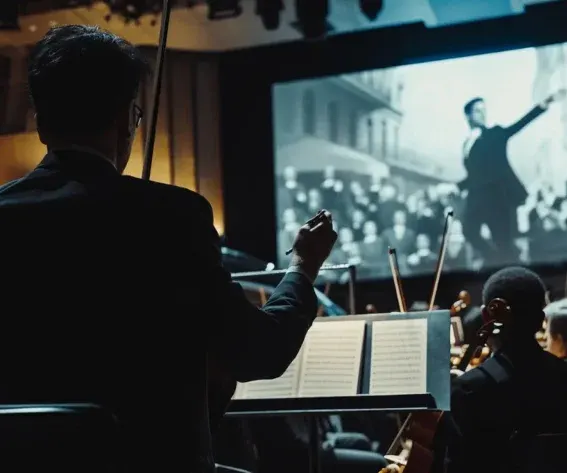
Music can change the way an audience experiences an edit long before they consciously notice what the editor is doing. A cut that arrives at the right moment can make a sequence feel effortless, while one that repeatedly falls just outside the rhythm can leave the same footage feeling strangely unfinished.
That does not mean every cut needs to land on a beat. In fact, some of the most effective music-led sequences barely do that at all. Instead, the editor responds to the broader movement of the track: where it builds, where it settles, when a new instrument enters, and when the arrangement creates space for the picture to take over.
For filmmakers, thinking about music in this way opens up far more possibilities than simply cutting a montage to the beat. Rhythm can influence shot length, camera movement, performance, lighting and transitions, helping the soundtrack and images develop as parts of the same sequence rather than as separate layers.
Listen to the Structure Before You Start Cutting
When a track has a strong beat, it is tempting to drop markers across the timeline and start placing cuts on each one. That can be useful for finding the pulse of a sequence, but it rarely gives you the complete shape of the edit.
Before cutting, listen to the track from beginning to end and pay attention to its larger changes. A verse may introduce a more restrained mood before the chorus opens everything up. A new instrument might gradually add tension, while a sudden breakdown can create a natural opportunity to slow the visuals down. Even a brief pause can suggest where a transition should happen.
These larger musical phrases are often more valuable than individual beats because they give the sequence somewhere to go. Rather than maintaining the same editing pattern throughout, you can allow the visual language to develop with the music.
A quiet opening might use longer takes and tighter compositions, for example, before gradually introducing more movement as the arrangement builds. By the time the track reaches its most energetic section, the change in pace feels earned because the audience has experienced the progression leading up to it.
Let the Pace of the Edit Change With the Music
Shot length has a significant effect on how fast or slow a sequence feels, which makes it one of the simplest ways to respond to music without synchronising every edit.
As a track gathers momentum, shots can gradually become shorter. When the music becomes more spacious, the edit can begin to hold on images for longer. The relationship does not need to be exact; what matters is that the pace of the picture feels connected to the changing energy of the soundtrack.
Variation is particularly important here. If every shot lasts exactly two seconds or every edit falls on the same beat, viewers quickly become familiar with the pattern. Once that happens, even technically precise synchronization can begin to feel repetitive.
A run of quick cuts will usually have more impact when it follows a slower passage, just as a longer uninterrupted shot can feel especially deliberate after a busy montage. By changing pace throughout the sequence, an editor can create anticipation and release without relying on an effect or transition to announce every musical change.
Think About Which Part of the Music the Image Is Following
A piece of music contains several rhythms at the same time. The drums may provide the most obvious pulse, but the bass, vocals, melody and smaller percussive details can each suggest a different kind of visual response.
Instead of treating the entire track as one waveform, it can help to decide which element of the arrangement matters most at a particular point in the sequence. The cuts might loosely follow the percussion while a camera move develops with the bass line. A lighting change could accompany a vocal entrance, while smaller movements in the frame respond to details higher in the mix.
This approach is particularly useful in music videos, experimental shorts, title sequences and other scenes where sound is closely tied to the visual concept. It allows several parts of the image to move with the music without forcing the whole sequence into a single repetitive pattern.
These relationships can be built manually with markers, keyframes and audio waveforms, while audio-reactive workflows can help filmmakers experiment with more detailed connections between sound and movement. An audio-reactive music visualizer can, for example, be used to explore how different elements of a track might influence movement or visual effects before those ideas are developed further in the edit.
Whichever approach you use, the creative decision comes first. The important question is not how many sounds can be synchronized, but which musical changes are worth translating into something the audience can see.
Remember That Rhythm Can Happen Inside the Shot
Editing is only one way to connect music and image. Movement within a shot can establish rhythm without requiring a cut at all, and in some sequences this creates a much more natural relationship with the soundtrack.
A slow push towards a character might reach its closest point as the music changes. A pan can follow the length of a phrase before settling with its resolution. Smaller actions can work in much the same way: a character turning, a car passing through the frame, a door closing or a practical light switching on can all become part of the rhythm.
Thinking about these possibilities during production gives filmmakers more to work with in the edit. If a scene is being designed around an existing piece of music, camera and performance cues can be planned with particular sections of the track in mind.
Even when the music is added later, editors can look for movements already present in the footage and use them as natural synchronization points. Matching those moments to the soundtrack often feels less conspicuous than adding another cut simply because a beat has arrived.
Give the Music Space Instead of Responding to Everything
Once you begin noticing synchronization opportunities, it is easy to find them everywhere. The problem is that responding visually to every kick, snare, vocal and transition can make a sequence feel more like a demonstration than a film.
Leaving some musical events unanswered gives the moments you do emphasize much more weight. A sequence might establish several cuts around the rhythm and then unexpectedly hold on one shot as the music changes beneath it. Because the audience has become accustomed to movement, the decision not to cut becomes noticeable in its own way.
Filmmakers can also create tension by allowing the picture and soundtrack to move in different directions. Energetic music beneath a static composition produces a different feeling from energetic music accompanied by frantic cutting, even though the soundtrack itself has not changed.
This is where musical editing becomes less about following rules and more about controlling expectation. Once a rhythm has been established, choosing when to depart from it can be just as important as establishing it in the first place.
Use Silence and Production Sound as Part of the Rhythm
A music-led sequence does not need music playing continuously. Removing the score for a few seconds can completely change the audience's relationship with the scene, particularly after a passage in which the soundtrack has been dominant.
Production sound can take over during these gaps. Footsteps, breathing, traffic, machinery, wind or simple room tone can carry the rhythm forward while making the scene feel more immediate. When the music eventually returns, its entrance has greater impact because the audience has had time away from it.
This can also make transitions between scenes feel more organic. Rather than carrying a song uninterrupted into the next sequence, allowing environmental sound to bridge the two can create a moment of separation before the score begins again.
Used carefully, silence is not an absence of rhythm. It changes the rhythm by giving the surrounding sounds and images more room to register.
Follow the Emotional Movement, Not Just the Beat
The technical relationship between a cut and a piece of music matters much less if the emotional direction of the two does not make sense.
When the soundtrack becomes more intimate, moving closer to a character may be more effective than simply increasing the number of cuts. If the music becomes unsettled, the compositions might gradually become less stable or the movement more unpredictable. When a score finally resolves, allowing a previously fragmented sequence to settle into a longer shot can make that resolution visible as well as audible.
Thinking this way keeps synchronization connected to storytelling. Music is not simply providing a grid for the editor to follow; it is helping determine how the audience experiences the progression of the scene.
This is also why a sequence can feel perfectly connected to its soundtrack even when relatively few cuts fall exactly on a beat. If the emotional development of the images follows the emotional development of the music, the relationship is already there.
Check Whether the Images Have a Rhythm of Their Own
When an edit has been built closely around a track, it is useful to watch the sequence once with the music muted. Without the soundtrack providing momentum, awkward shot lengths and unnecessary cuts become much easier to notice.
Look at how movement carries across edits, whether the viewer's eye has enough time to find the important part of each frame, and whether the sequence continues to develop visually. A scene designed specifically around music does not need to work perfectly in silence, but it should still feel intentional.
It can also be useful to do the reverse and listen to the track without watching the picture. Notice where the music naturally builds anticipation, where it releases tension and which changes feel significant enough to demand attention.
Returning to the full sequence after those two passes makes it easier to judge whether the picture is genuinely working with the music or simply sitting on top of it.
Give the Most Important Moments Room to Land
Fast cutting is often associated with music-driven filmmaking, but a sequence does not become rhythmic simply because it contains more edits. What gives faster passages their energy is the contrast with the slower material around them.
A burst of short shots can feel much more intense after the audience has spent time with longer takes. Similarly, a cut that lands precisely on a musical accent tends to feel more deliberate when the previous edits have not all followed exactly the same pattern.
Rather than trying to fit as many cuts as possible into an energetic section, think about which images deserve emphasis and how the surrounding shots can lead towards them. At some points that may mean cutting directly on a beat. Elsewhere, the stronger choice might be to cut slightly before it, wait until after it, or allow a major change in the music to happen without cutting at all.
Those small variations keep the audience from anticipating every edit and allow the important synchronization points to stand out naturally.
Finding the Rhythm That Fits the Film
There is no single method for bringing music and images together because the right approach depends on the film. A music video can make synchronization part of its visual identity, while a narrative scene may need a much subtler relationship between score and picture. Trailers, experimental films and title sequences each create their own expectations.
What matters is understanding what the music is doing before deciding how the images should respond. Listen for changes in structure and energy, consider which instruments or phrases are most important, and then decide whether those moments should influence the edit, movement within the frame, lighting, performance or nothing at all.
When those choices are made with the sequence as a whole in mind, synchronization stops feeling like a collection of cuts placed on beats. The music and images begin to share the same sense of movement, allowing the audience to feel the rhythm of the film without needing to notice exactly how it was created.
Comments