
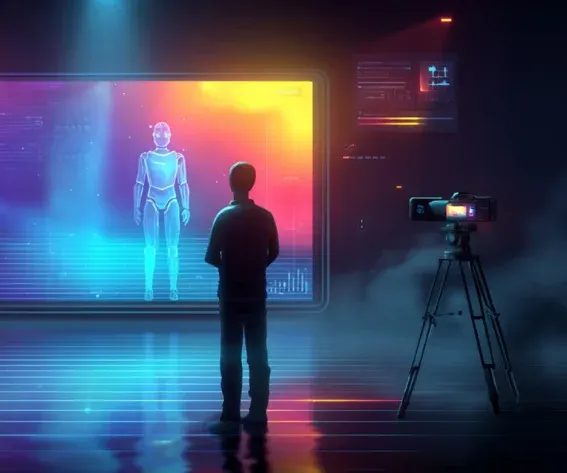
Why better prompting doesn't solve character drift
The instinct is to assume better prompting solves it: describe the character in more detail, and the model will hold onto it. In practice, that doesn't work, because the model isn't remembering your character between prompts; it's generating a fresh interpretation each time based on whatever text it's given. Two prompts describing the "same" character can produce two visibly different people, especially across dozens of shots in a real production. The standard technical fix for this in the broader AI field is LoRA fine-tuning, training a small model adjustment on images of your specific character so the base model "learns" their face. It works, but it's expensive to set up, takes time before you can generate a single shot, and the result is bound to one specific model. Switch from one video model to another mid-production, and the LoRA doesn't transfer. The alternative that's emerged instead of fine-tuning is simpler in concept: give the model a persistent visual reference at generation time, rather than trying to train the character into it. Invideo Agent does this by locking a multi-angle character reference sheet- front, three-quarter, profile, back, plus face close-ups- generated at 4K, in the agent's context, so it attaches automatically to every shot prompt the character appears in, regardless of which underlying video model that shot routes to.What a character reference sheet actually is
A character reference sheet is a multi-angle turnaround of one character, built specifically to act as the model's memory of what that character looks like. It typically includes four angles (front, three-quarter, profile, back) plus close-ups on the face and mid-body, generated at high resolution so fine details, scars, accessories, specific costume elements, survive across different shots and different models. The sheet doesn't have to originate from an AI image model. Reference renders from 3D models, showing the same set of angles, work just as well; what matters is consistent geometry viewed from multiple angles, not where that geometry came from. And it's not limited to people: any prop that recurs on screen a weapon, a vehicle, a key object a character interacts with repeatedly needs its own canonical reference sheet for the same reason a face does.The two-stage process for building a character reference sheet
The first step is casting the face. This stage benefits from a model that renders realistic skin-level detail, pores, fine lines, and subtle texture, since a face that's too smooth in the reference tends to read as obviously synthetic once it's animated. The goal here is a single approved portrait, not the full sheet yet. The second step is building the turnaround from that approved face. This takes the casting portrait and generates the remaining angles, three-quarter, profile, back, plus the close-up panels on the face and mid-body, all at high resolution, so the sheet is complete and ready to lock. A few practical rules make a meaningful difference across both steps: remove objects from a character's hands before generating the turnaround, since held props tend to introduce inconsistency across the different angles; include actual close-up panels rather than only wide shots, so small details have somewhere to be captured accurately; and generate several candidate options per character before locking one, rather than accepting the first result.When text prompting fails entirely
Some situations can't be solved by better prompting, no matter how detailed the description. Scenes where two characters are in close physical contact, one carrying another, a rope or prop connecting them, bodies overlapping, are a well-documented failure point for AI video models generally. The physical relationship between two figures is exactly the kind of spatial information that's hard to convey in text and easy for a model to get subtly wrong. The practical fix is to sketch the physical configuration by hand how one character holds another, where limbs and props actually sit, and feed that sketch to the invideo agent as a visual reference. The drawing doesn't need to be polished; the model needs spatial information, not artistic quality. Invideo agent uses the sketch to work out a "fused" reference for that specific configuration, and once that exists, it gets treated like any other character sheet: locked in context, and every later shot needing that same physical arrangement inherits it automatically.Locking the world around the character
Character consistency has a second failure mode that's easy to miss: the character stays stable, but the world around them doesn't. A room, a vehicle, or a key set piece can shift in small ways between shots even when the character generating inside it looks perfect: different lighting, a slightly different layout, details that don't match. The fix mirrors the character-sheet approach: lock a reference for the environment itself, and generate every camera angle needed from that single locked anchor, rather than treating each new angle as an independent request. For broader world-building across many scenes, working in grids of images, generating several variations at once, then extracting the specific panels that work, tends to hold together better than treating every new scene as a blank-slate generation, since later scenes can draw on panels that already exist inside the same established visual world.Fixing drift without starting over
When a character does drift in a specific shot, a missing detail, a shifted costume element, the fix isn't to regenerate the whole shot from scratch and hope for better luck. Tracing the error back to its source in the reference sheet, correcting it there, and then regenerating only what actually needs to change keeps the rest of a project intact rather than risking new inconsistencies elsewhere. This also explains a rule that surprises people the first time they hit it: a costume change requires a genuinely new reference sheet, not a tweak to the existing one. If a character changes jackets partway through a story, or picks up a new item mid-sequence, that moment needs its own canonical reference; the sheet is meant to be exact, so treating it as approximate defeats the purpose.Common mistakes when building AI character consistency
- Assuming more detailed prompts solve consistency. Text description alone doesn't give a model persistent memory of a character, a visual reference sheet does.
- Using only wide-angle references. Skipping close-up panels means fine details have no clean reference to be copied from accurately.
- Leaving props in a character's hands during turnaround generation. This introduces inconsistency across angles that's avoidable by removing held objects first.
- Re-rolling a whole shot to fix a small drift error. Tracing the error to the reference sheet and correcting it there is more reliable than hoping a fresh generation happens to get it right.
- Reusing an old sheet after a costume or prop change. A visual change to the character means a new sheet is needed; an outdated one will keep producing drift.
Comments