
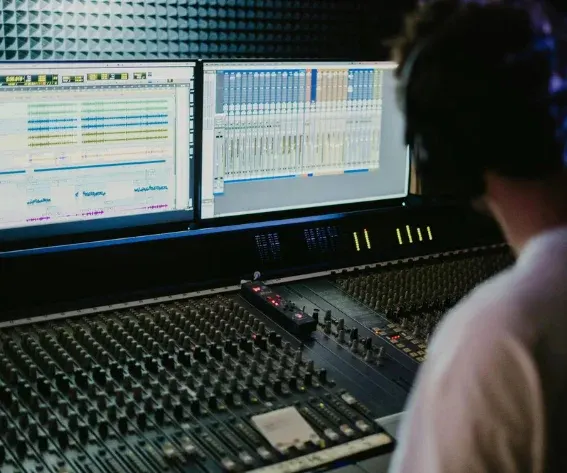
Dialogue, music, and sound effects each need real attention before they sit together correctly, dialogue has to stay clear and upfront, music needs to duck out of the way when someone's talking, effects need to sit at a level that supports the scene without pulling focus from it. Most video editors handle this with a basic volume slider per clip, which is fine for a rough level check and not much else, so getting an actual mix usually means exporting into a dedicated audio tool built for exactly that job.
That round-trip, exporting out, mixing in a separate application, importing the result back, is a real workflow cost, and it's the main reason a lot of edits ship with audio that's technically present but never actually mixed.
Here's how to mix all three inside the same project the edit was built in, without that extra tool or that extra handoff.
Why audio mixing usually means leaving the video editor
A basic volume slider on a video clip answers one question, how loud is this, and nothing else. Real mixing needs more than that: routing similar sounds through a shared bus, applying a specific effect to just the dialogue track, automatically lowering music under speech and bringing it back up after, checking levels against actual loudness standards rather than by ear alone. Most video editing timelines were never built with that toolset, which is exactly why a separate, dedicated audio application exists as its own category of software.
That gap is a real cost specifically because it breaks the editing session. A picture edit that's otherwise finished has to pause, get handed off to a different tool with a different interface, and come back before the project is actually done.
Directing an agent to mix instead of manually operating a separate application
Invideo Editor handles specific mixing tasks the same way it handles other editorial decisions, through direction rather than requiring a person to manually operate every control themselves. State the outcome, clean up the dialogue, duck the music under the voiceover, balance the sound effects against everything else, and an agent applies that mix directly, on the same tracks the picture edit already lives on.
That removes the need to learn a second application's interface just to accomplish a specific, well-defined mixing task, the direction states the goal, and the technical execution, the actual level automation, EQ, and routing, happens underneath that instruction.
What Invideo Editor adds: a real mixing toolset inside the same project
Invideo Editor lets you edit videos online with dialogue, music, and effects held on separate tracks routed through buses, each with its own per-track effects, pan control, and dB fader, with metering in left, right, and loudness units to check the result against an actual standard rather than by ear alone. An agent can be directed to apply dialogue cleanup, ducking, and balancing across those tracks directly, all inside the same project the picture edit is already in.
The timeline itself is a real, professional manual editor on its own, free to use whether or not an agent mixes a single track, so the same buses, faders, and metering stay available for manual adjustment afterward.
What to check after an automated mix
Dialogue clarity is worth checking first and most carefully, since it's usually the element that matters most and the one a viewer notices immediately if it's buried under music or effects.
It's also worth listening on more than one playback system, headphones and a laptop or phone speaker, since a mix that sounds balanced on one can reveal a problem, thin bass, buried dialogue, on the other. A quick check across both catches an issue that a single listening environment might not reveal.
Common problems when mixing without a separate audio tool
Giving a mix direction without stating what should actually take priority is a common issue, an instruction that doesn't specify that dialogue matters most leaves more room for music or effects to sit too prominently in the result.
Skipping a check across different playback systems is a related problem, a mix that sounds right through one set of speakers or headphones doesn't guarantee it holds up on the range of devices an audience will actually watch on.
Treating ducking as an all-or-nothing setting rather than something to fine-tune is another common gap, music that drops too abruptly under dialogue, or doesn't duck enough to keep speech clear, both read as unfinished even when the overall levels are roughly right.
Common mistakes when mixing dialogue, music, and effects
- Not stating which element should take priority. A mix direction that doesn't specify dialogue as the priority leaves more room for music or effects to compete with it.
- Checking a mix on only one playback system. A balance that sounds right on headphones doesn't guarantee it holds up on phone or laptop speakers.
- Treating music ducking as a fixed setting instead of something to adjust. Both too abrupt and too subtle a duck read as unfinished.
- Assuming loudness is fine without checking it against an actual metering standard. A mix that sounds acceptable by ear can still fall outside a target loudness range.
FAQ
Can dialogue, music, and effects really be mixed without leaving the video editor? Yes, when the editor includes real mixing tools, separate tracks routed through buses, per-track effects, and metering, rather than only a basic volume slider per clip.
How specific does a mixing direction need to be? Specific enough to state what should take priority, keep dialogue clear, duck the music under it, and roughly how prominent effects should be, rather than a vague instruction to "make the audio sound good."
What's the most important thing to check after an automated mix? Dialogue clarity first, since it's usually the element that matters most, followed by a listen across more than one playback system to catch anything that doesn't hold up universally.
Can the automated mix be adjusted manually afterward? Yes. The same tracks, buses, and faders used to apply the mix remain available on the timeline, so a specific level or effect can be fine-tuned by hand once the overall balance is in place.

Comments