How Directors Can Manage Long-Form AI Film Projects Across Multiple Scenes

Creating one convincing AI-generated shot is relatively straightforward. Managing a film that extends across dozens of scenes is a different challenge.

As a production grows, directors need to keep track of character appearance, wardrobe, locations, lighting, camera language, approved takes, performance choices, and story progression. A shot can look impressive by itself and still feel out of place beside the scenes around it.

That is why long-form AI filmmaking is becoming less about writing individual prompts and more about building a production system that preserves creative decisions across the entire project.

Invideo agent approaches this workflow at the project level, helping directors organize context, scenes, references, generations, and specialist workflows in one production environment. For filmmakers, the useful question is no longer simply, “How do I prompt this shot?” It is, “How do I direct the complete film without losing decisions made earlier?”

Start With a Directorial Bible

Before generating multiple scenes, establish the visual and storytelling language of the film.

A directorial bible can document camera behavior, lenses, lighting, composition, color, editing rhythm, performance style, sound, and recurring visual rules. It can also specify what to avoid, particularly visual choices that would move the project away from the intended style.

The filmmaking materials supplied for this article distinguish between a directorial bible and a production bible. The directorial bible defines the creative grammar of the film. The production bible is more operational, covering areas such as shot lists, lens choices, location references, look development, and character sheets.

This separation helps directors answer two questions early:

What should the film feel like?

How will the production maintain that feeling across multiple scenes?

Establishing those rules before large-scale generation makes later decisions easier to evaluate.

Separate Project Context From Scene Briefs

Long-form projects become difficult to manage when every instruction has to be repeated for every scene.

A cleaner approach is to separate information that remains constant from information that changes.

Within invideo agent, Context is designed to hold project-wide information, while Briefs can organize individual pieces of work. For a film, the world, characters, tone, and visual rules can form the wider Context, while individual scenes have their own Briefs.

A project Context might include:

  • Character identities and master references
  • Locations and environment rules
  • Aspect ratio and visual format
  • Lighting principles
  • Color palette
  • Camera language
  • Recurring props
  • Wardrobe rules
  • Performance direction

A scene Brief can then focus on what is specific to that section of the film: dramatic purpose, blocking, emotional state, coverage, dialogue, and scene-specific visual treatment.

This structure means Scene 20 does not need to rebuild decisions already established in Scene 2.

Lock Important References Early

Continuity becomes more difficult to repair once many scenes have already been generated.

For that reason, character sheets, location references, wardrobe, hero images, and recurring props are useful to establish before production scales.

One workflow described in the supplied filmmaking materials creates character sheets and locks environmental references before moving deeply into shot generation. It also uses self-contained, context-safe instructions so that relevant creative decisions remain available when work continues elsewhere in the project.

With invideo agent, references can also carry specific intent. A character image might be used for facial identity but not wardrobe, while a location reference might communicate lighting rather than architecture.

This gives the director clearer control over what should remain fixed and what can still evolve.

Organize Generations by Scene or Sequence

A long-form AI film can produce hundreds of images, clips, tests, and alternate takes.

Without an organizational system, approved assets can become difficult to distinguish from experiments.

Notebooks within invideo agent provide a more detailed working space for individual generations. Pages can organize material by scene, sequence, department, or production stage, while individual generations can be referenced directly through their thread structure.

A simple project structure could look like:

Page 1: Locked pre-production references
Page 2: Scene 01
Page 3: Scene 02
Page 4: Character and wardrobe tests
Page 5: Approved inserts and transitions

The exact structure can vary. What matters is that the director and collaborators can quickly identify approved material and understand where each asset belongs.

Treat Specialist Agents Like Production Departments

As projects become larger, one general workflow may be less practical than dividing responsibilities.

Invideo agent supports specialist agents that can take on roles such as cinematography, casting, storyboarding, costume, or VFX. According to the supplied product materials, these agents can operate with shared project knowledge and exchange relevant information during handoffs.

This resembles a conventional production structure. A director does not personally repeat every established wardrobe or set decision before every shot. Departments work from shared information while focusing on their specific responsibilities.

For multi-scene projects, this also creates the possibility of parallel workflows. One specialist can work on cinematography while another develops casting or production design, with both operating from the same overall project context.

Playbooks provide another layer of consistency. They allow recurring working rules, approval stages, or prompting conventions to be established once and reused across the project.

Review Sequences, Not Just Individual Shots

One of the most important habits in long-form AI production is reviewing shots together.

A technically strong shot may still interrupt pacing, continuity, or emotional progression when it is placed in sequence.

The Slate product brief describes an editing workflow where approved takes can be assembled in script order, allowing filmmakers to evaluate narrative flow, pacing, coverage, transitions, and missing shots before the production is complete.

That creates a practical production loop:

Generate → approve → assemble → review → identify gaps → generate again

Sequence reviews can reveal issues that are easy to miss when clips are judged separately. A costume may change unexpectedly. Lighting may jump between two connected shots. A scene may need an establishing shot. A close-up might not match the performance established in the wide.

Reviewing regularly makes these decisions part of production rather than leaving them all for the final edit.

Recent Developments in invideo agent

Recent invideo agent product materials place greater emphasis on persistent project context, specialist agents, multi-input understanding, Playbooks, Notebooks, team collaboration, and integrated editing.

Multi-input intelligence, for example, is designed to let the system work with scripts, PDFs, images, video, links, and other references rather than relying only on text instructions. The supplied materials describe workflows where uploaded footage can be checked against existing project information or used as a visual and performance reference for later generations.

For directors, the practical value is not simply generating more material. It is keeping references, decisions, and production knowledge connected as the number of scenes increases.

Common Mistakes in Multi-Scene AI Filmmaking

Generating too much before defining the visual system. Exploration is useful, but larger production batches become easier once the project’s creative rules are established.

Keeping every decision inside individual prompts. Project-wide information is easier to maintain when it lives in persistent context or production documentation.

Locking references too late. Characters, locations, costumes, and other recurring elements are easier to manage when approved early.

Reviewing clips only in isolation. Narrative rhythm and continuity become much clearer when scenes are assembled.

Treating every scene as a separate project. Each scene may need its own Brief, but it should still inherit the wider film’s characters, world, and directorial rules.

Final Thoughts

Long-form AI filmmaking is ultimately a problem of continuity, organization, and creative decision-making.

The more scenes a project contains, the less useful it becomes to treat production as a collection of individual prompts. Characters need established identities. Locations need rules. Scenes need specific objectives while still belonging to the same world.

For directors, the underlying process remains familiar: establish the vision, organize the production around it, delegate clearly, review work in context, and refine each scene until it belongs to the same film.

FAQs

How can directors maintain character consistency across a long AI film?

Create strong character sheets and approved references early, then keep them connected to the wider project context. Review later generations against those references throughout production.

Is it better to generate an AI film scene by scene?

Scene-by-scene production is practical, but the scenes should not become isolated. Each can have its own working brief while inheriting the project’s global character, location, and visual rules.

What role can invideo agent play in long-form filmmaking?

Invideo agent can provide an organizational layer around production by holding project context, organizing scene briefs and references, supporting specialist workflows, and carrying approved assets toward editing. Creative judgment and final approval remain with the director.

Should filmmakers think about directing instead of prompting?

For larger projects, directing is often a more useful framework. The director defines intent, establishes creative rules, gives notes, reviews sequences, and approves decisions rather than treating every shot as an unrelated generation.

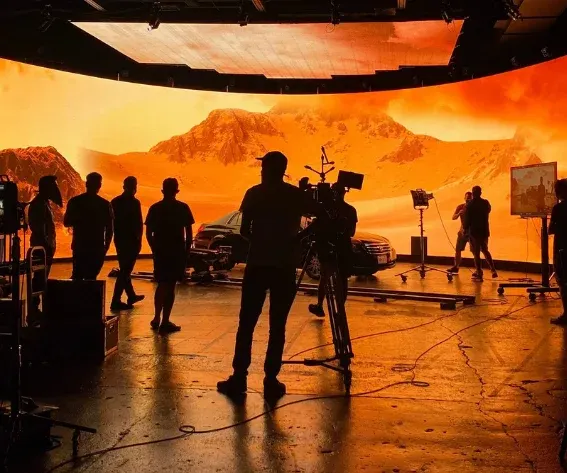
Image source: Frame.io

You may also like:

How to Make a Short Film With AI: Complete Step-by-Step WorkflowHow to Make a Short Film With AI: Complete Step-by-Step Workflow
How to Make a Short Film With...
Making a short film with AI is no longer limited...
Read more
Why Dinner Table Scenes Are Surprisingly Difficult to DirectWhy Dinner Table Scenes Are Surprisingly Difficult to Direct
Why Dinner Table Scenes Are Surprisingly Difficult...
Dinner table scenes look deceptively simple. Put a few actors...
Read more
How to Promote a Short Film on YouTube Without a Big Marketing BudgetHow to Promote a Short Film on YouTube Without a Big Marketing Budget
How to Promote a Short Film on...
Making a short film can take weeks or months. You...
Read more
18.8.2026
 

Leave a reply

Add comment