
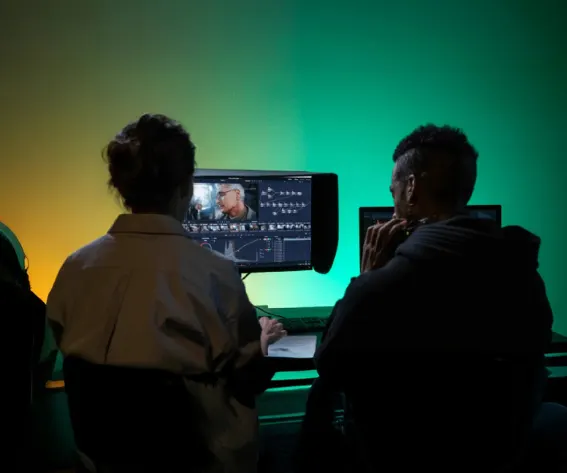
Every short film has a shot the director wishes looked different. A coffee cup that jumps between takes. A location that felt right on the day and wrong in the edit. A dusk scene that should have been daylight because the next shot is.
On a big production, these become VFX tickets. On a short with a crew of five and a weekend schedule, they usually become compromises. AI video editing models are starting to change that, but only for some problems. This guide is about knowing which ones before you plan your shoot around them.
Editing is not generating
First, a distinction that matters on set and in the edit. Text-to-video models invent footage. Video editing models take your existing clip and an instruction such as "remove the glasses from the table" and return a modified version of your shot.
The promise is that everything you did not mention stays the same: the actor's performance, the camera move, the timing of the cut. For filmmakers, that promise is the only thing that counts. A model that changes the performance has not fixed your shot. It has replaced it.
What a controlled test tells us
Vendor demos are chosen to impress. A better guide is a controlled comparison. One recent example is a comparison that ran six AI video editing models through the same five edits. The models were Runway Aleph 2, FLUX 3, Gemini Omni Flash, Kling 3.0 Pro, Seedance 2.5 and WAN 3.0. The source was a short clip of a person sitting in a cafe, and each model got exactly one take per task, using text instructions only.
The five edits map almost exactly onto the problems short-film makers bring to post:
- Removing an object from the frame.
- Adding an object that was never there.
- Replacing most of the location behind the subject.
- Changing the lighting so the shadows move with it.
- Stylizing the whole clip into an animated look while keeping the character recognizable.
The authors are clear that one take per model is a first look, not a benchmark. Treat the findings below as a map of where to look, not a verdict.
What you can realistically fix today
Object removal
All six models removed the object cleanly and left the rest of the frame alone. In the test, FLUX 3 did this for roughly 27 cents per ten seconds of footage.
For indie filmmakers this is the most practical result. Continuity props, a stray cable, a sign you do not have clearance for: these are now inexpensive fixes. You do not need the premium model for them, and you can put the saved budget toward the shot that is genuinely hard.
Relighting, with the right model
The test asked the models to turn an evening scene into daylight. FLUX 3, WAN 3.0, Runway Aleph 2 and Seedance 2.5 changed the light and moved the shadows with it. Kling 3.0 Pro did not change the lighting at all. Gemini Omni Flash moved the light source but left the shadows pointing toward the old one.
Shadows are what an audience reads without noticing. If a relit shot has to cut against your original footage, shadow direction is the first thing to check. The test also showed that the cheapest model relit correctly while a more expensive one failed, so do not assume price buys accuracy here.
Location swaps, carefully
Replacing the background is the edit that can save a short shot in the wrong place. In the test, Seedance 2.5, WAN 3.0, Kling 3.0 Pro and FLUX 3 held the actor's performance while swapping most of the location. Runway Aleph 2 introduced a small extra hand movement. Gemini Omni Flash moved the character differently and let the camera drift off its path, which means it effectively re-shot the scene.
Kling 3.0 Pro was noted for holding camera motion best. If you shoot handheld or on a slider, that matters more than almost anything else in a location swap.
One caution: when the test measured changes in areas of the frame nobody asked to touch, background replacement was the most destructive request of all. Expect to review edges, hands and hair closely.
Where it still breaks
Faces and identity
Full stylization was the hardest task, and the one that exposed how fragile identity is. Only WAN 3.0 kept the same person on screen. Seedance 2.5 managed it with extra prompting. Runway Aleph 2 produced an attractive animated clip of someone else entirely. FLUX 3 went flat and simple, and Kling 3.0 Pro stayed weak.
For a narrative short, an actor who turns into a different person between shots is not a stylistic choice. It breaks the film. If your plan depends on stylizing live-action footage, test your exact shot before committing to the idea.
Uninvited additions
When asked to add an object, all six models did it, but some added more. WAN 3.0 added a car passing a window in the background. Kling 3.0 Pro tended to add hair. These additions can make a frame feel more natural, but they are changes you did not approve, and they can contradict the shot before or after.
Consistency between takes
With one take per task, a model that invents details today may invent different ones tomorrow. Across a scene with ten setups, that unpredictability adds up. The test also did not cover long takes, dialogue scenes or edits that touch several objects at once, which are exactly the situations a short film is full of.
Format surprises
Some models return files that differ from what you sent. In the test, FLUX 3 returned 1248×704 instead of 1280×720, Kling 3.0 Pro always returned 1920×1080, and WAN 3.0 stretched an eight-second clip to nine seconds at 30fps. A stretched clip will drift against your sound. Always check duration, frame rate and resolution before conforming.
A practical plan for your next short
- Shoot for the fix. If you expect to remove an object, lock off the camera or keep movement simple. Clean plates still help.
- Match the model to the task. Use an inexpensive model for removal. Test relighting and stylization on a few models before choosing.
- Protect the performance. Compare the edited clip against the original frame by frame for changes in movement and timing.
- Check the whole frame. Look for anything added or altered outside the area you asked about.
- Conform carefully. Verify resolution, frame rate and duration before the clip goes back into your timeline.
- Keep originals. Never overwrite source footage with an AI pass.
The honest bottom line
AI video editing is now good enough to rescue specific shots in an indie short: removing distractions, adjusting light with some models, and swapping locations when the camera move is simple. It is not yet reliable for keeping a face consistent through heavy stylization or for matching a whole scene across many setups.
The filmmakers who get the most from these tools will treat them like any other piece of post-production gear. They will learn what each one does well, test on their own footage, and keep the original take ready for when the fix does not hold.
Comments