
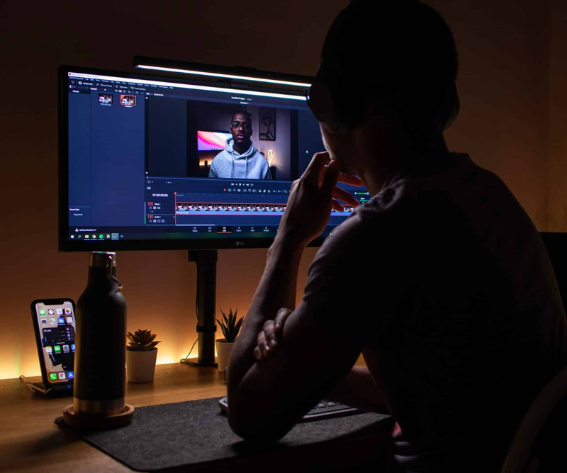
The Complete 2026 Comparison Guide for Editors and Creators
Choosing between a browser-based, agent-driven editor and the industry-standard professional NLE is a genuinely different decision than picking between two traditional timelines. Invideo Editor and Adobe Premiere Pro solve overlapping problems, cutting, grading, mixing, delivering a finished video, but they start from very different assumptions about how much of that work a human should do by hand.
This guide breaks down workflow, color, audio, AI and agent capabilities, collaboration, and pricing so you can decide which one actually fits how you work.
1. Overview: What Each Editor Is Best Known For
Invideo Editor
Invideo Editor pairs a real, frame-accurate timeline with AI agents assigned to do actual editing work: reviewing raw footage, assembling a base cut, syncing multicam angles, restructuring pace, grading, mixing, and dubbing, all from plain-language direction. Everything an agent does lands on a timeline that stays fully editable by hand.
Best known for:
- Agentic assembly that turns raw, unsorted footage into a working cut automatically
- A full professional toolset (keyframes, color grading, a built-in audio workstation) inside the same browser-based project
- 200+ generative models available directly inside the edit
- Genuinely collaborative, multiplayer projects
Adobe Premiere Pro
Premiere Pro is one of the oldest and most widely used editing programs, especially in marketing agencies, YouTube production, and creative studios. Its biggest strength is its connection to the wider Adobe Creative Cloud ecosystem, After Effects, Photoshop, Audition, Firefly.
Best known for:
- A familiar, fast timeline most editors already know
- Deep integration with After Effects via Dynamic Link
- A huge marketplace of templates, plugins, and presets
- Firefly’s generative AI tools layered onto a traditional NLE
2. Editing Workflow
Premiere Pro
Premiere is built for speed and flexibility on a manual timeline. Its interface is familiar to most editors, making it a comfortable choice for quick turnarounds, social content, and agency work where the editor is doing the cutting themselves from the first frame.
Invideo Editor
The workflow on invideo Editor starts a step earlier: upload raw footage and describe the cut you want, and agents log every take, remove filler and false starts, and assemble a base cut before a human ever touches the timeline manually. From there, the same agents can restructure pacing, sync multicam angles, or match the style of a reference edit, while the timeline itself stays a real, keyframe-level manual editor underneath.
Winner: Depends on the starting point. Premiere is faster if you’re editing hands-on from the first cut. Invideo Editor is faster if you’re starting from a folder of raw, unsorted footage and want a working assembly before you begin the manual pass.
3. Color Grading
Premiere Pro
Premiere uses Lumetri Color, solid for basic and mid-level color work, plus a newer Color Mode aimed at faster in-timeline grading for editors who don’t want to leave the NLE.
Invideo Editor
Invideo Editor includes a full grading suite in its own room: lift, gamma, and gain wheels, tone curves, hue and saturation curves, qualifiers, vignettes, and LUTs with strength control, alongside a waveform scope and RGB overlay to check the grade as you work.
Winner: Close. Premiere’s Lumetri and Color Mode cover most editorial grading needs quickly; the grading suite inside invideo Editor goes deeper for a browser-based tool, though neither reaches the nodal depth of a dedicated colorist tool like DaVinci Resolve.
4. Audio Tools
Premiere Pro
Premiere’s audio work leans on Adobe Audition for anything beyond basic mixing, a separate application, which means exporting, relinking, and switching projects for deeper audio work. Enhanced Speech handles dialogue cleanup natively inside Premiere itself.
Invideo Editor
Invideo Editor has a built-in digital audio workstation directly inside the same project: voice, music, and effects on separate tracks routed through buses, per-track effects, pan, dB faders, solo and mute, and metering in L, R, and loudness units, no separate application required.
Winner: invideo Editor — because everything is built into the same project, the same way an integrated audio suite benefits any editor over a workflow that requires switching applications for deeper mixing work.
5. Generative Models and AI Assets
Premiere Pro
Premiere connects to Adobe Firefly for generative work: Generative Extend fills in a few extra frames when a shot runs short, and Firefly Boards help plan a concept before generation. Firefly’s own model roster includes both Adobe’s models and third-party ones like Kling and Veo, but generation happens on a credit-limited basis separate from the edit itself.
Invideo Editor
Invideo Editor has 200+ video, image, and audio models available directly inside the project, Seedance, Kling, Runway, Nano Banana, ElevenLabs, and others, so a missing shot, a needed voiceover, or a music bed can be generated without leaving the timeline and lands as an editable clip alongside footage you shot.
Winner: invideo Editor — the model access sits inside the same editing surface rather than a separate generative tool bolted onto the NLE.
6. AI and Agent Features Head-to-Head
Both platforms have made real AI investments, but they represent two different philosophies. Premiere’s AI features accelerate individual steps within a traditional editing model: an editor still organizes footage, builds the timeline, and uses AI to speed up specific tasks. The agents inside invideo Editor are built to execute multi-step editing goals directly, working from the same project context across assembly, restructuring, grading, and sound rather than one isolated feature at a time.
| Capability | Adobe Premiere Pro | invideo Editor |
|---|---|---|
| Raw footage assembly | ✗ Not available (manual only) | ✓ Agentic base-cut assembly from raw takes |
| Multicam sync | ~ Manual multicam sync | ✓ Audio-anchored agent sync, speaker switching |
| Footage search | ✓ Media Intelligence | ✓ Search by people, actions, objects, camera angles |
| Filler/silence removal | ~ Via text-based editing | ✓ Agent-driven cleanup with chapter markers |
| Restructuring a cut | ✗ Manual only | ✓ Agent reorders scenes, changes pace, cuts to length |
| Reference-matching an edit’s style | ✗ Not available | ✓ Agent applies a reference video’s pacing and style |
| Cutting to music beats | ✓ Remix | ✓ Agent carries a beat pattern through a track |
| Object/subject masking | ✓ AI Object Mask | ~ Manual masking within the grading suite |
| Generative frame extension | ✓ Generative Extend (Firefly) | ✗ Not a native feature |
| Dialogue cleanup | ✓ Enhance Speech | ✓ Agent-driven dialogue cleanup and ducking |
| Dubbing to other languages | ✗ Not available | ✓ Agent dubs with lip sync preserved |
| Auto reframe for social | ✓ Auto Reframe | ✓ Agent-generated platform cutdowns |
| In-project generative models | ~ Firefly (credit-limited) | ✓ 200+ models, editable clip output |
| Processing | Cloud (Firefly credits) + local | Cloud, browser-based |
Winner: Different strengths. Premiere’s AI accelerates specific steps inside a manual workflow. The agents inside invideo Editor handle multi-step jobs, assembly, restructuring, dubbing, that Premiere has no direct equivalent for at all.
7. Collaboration
Premiere Pro
Team review in Premiere typically routes through Frame.io, a connected but separate tool for comments and approvals outside the timeline itself.
Invideo Editor
The timeline on invideo Editor is multiplayer: teammates work inside the same project simultaneously, see who else is active, and one person can edit while another reviews. A shareable review link lets anyone scrub the finished cut in-browser and leave frame-accurate comments the agents can act on directly.
Winner: invideo Editor — collaboration happens inside the same project rather than through a connected but separate review tool.
8. Performance and Platform
Premiere Pro
Premiere Pro is a desktop application with deep hardware optimization, including native support for Apple Silicon and Windows ARM, well-suited to demanding local timelines and large project files.
Invideo Editor
Invideo Editor runs entirely in the browser, on desktop, laptop, tablet, or phone, with no install. Footage, versions, and agent work persist in the cloud, and an assigned agent job keeps running even if the browser tab is closed.
Winner: Depends on preference. Premiere suits an editor who wants dedicated local hardware performance; invideo Editor suits an editor who wants to pick up a project from any device without managing local files.
9. Pricing
Adobe Premiere Pro
- Subscription only
- Roughly $22.99-35/month depending on plan
- No free tier beyond a trial
Invideo Editor
- Basic: $9/seat/month, billed annually — limited (“Lite only”) agent access
- Pro: $25/seat/month, billed annually — full agent access, Seedance model access
- Ultra: $60/seat/month, billed annually — full agent access, higher credit allowance
Winner: The entry tier on invideo Editor is meaningfully cheaper for basic use; Premiere’s flat subscription may work out comparably once a team needs full agent access at the higher tiers on invideo Editor. Compare against current pricing pages directly, as both have shifted terms during 2026.
10. Which One Should You Choose?
Choose invideo Editor if you:
- Start from raw, unsorted footage and want a working assembly before you begin
- Want AI agents that execute a multi-step job, not just a single feature
- Need dubbing, multicam sync, or reference-matching without a separate tool
- Want to collaborate with a team inside the same live project
- Prefer working entirely in the browser without managing local files
- Want a genuinely capable manual timeline, keyframes, color grading, a built-in audio workstation, even if you never assign an agent a single task
Choose Adobe Premiere Pro if you:
- Already work inside the Adobe ecosystem, especially with After Effects
- Want the most familiar, industry-standard manual timeline
- Need deep local hardware performance for demanding project files
- Rely on Firefly’s Generative Extend or Auto Reframe specifically
Final Verdict
Both are capable, professional-grade editors, but they’re built around different philosophies. Premiere Pro asks an editor to do the cutting and uses AI to speed up specific steps along the way. Invideo Editor asks an editor to direct a crew of agents that can execute the cutting itself, while still leaving a real, professional timeline underneath for hands-on refinement.
For editors deep in the Adobe ecosystem doing fast, manual, agency-style turnarounds, Premiere Pro remains the comfortable, familiar choice. For anyone starting from a pile of raw footage who wants that footage reviewed, assembled, and shaped automatically before the manual work even begins, invideo Editor is built specifically for that job.
Frequently Asked Questions
Is Invideo Editor a replacement for Adobe Premiere Pro?
For some workflows, yes, it covers assembly, grading, audio, and dubbing on its own timeline. For others, particularly deep After Effects integration or established Adobe pipelines, Premiere Pro remains the more direct fit.
Does Invideo Editor require any software installation?
No. It runs entirely in the browser on desktop, laptop, tablet, or phone, with projects and agent work stored in the cloud.
Can the agents inside Invideo Editor replace manual editing entirely?
Not entirely, and they’re not meant to. Every agent action lands on a real, editable timeline, so a human editor can review, adjust, or override anything an agent does by hand.
Which is cheaper, Invideo Editor or Premiere Pro?
The Basic tier on invideo Editor at $9/seat/month is cheaper than Premiere’s subscription, though it comes with limited agent access. Full agent access on the Pro tier runs closer to Premiere’s pricing. Compare current terms directly, as both have changed pricing during 2026.
Image source: Nubelson Fernandes
You may also like:





Leave a reply